Uptown Funk CapCut Template vs This AI Video
 Uptown Funk AI Video
An Uptown Funk CapCut template pastes your face or photo onto clips you edit yourself. This generator makes a new 15-second video where you are the dancer, with movement and lip-sync.
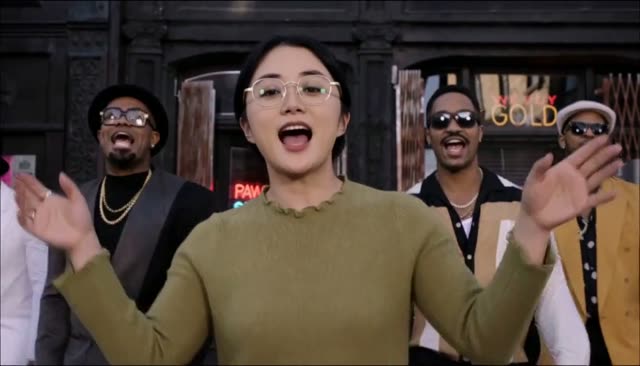
An Uptown Funk CapCut template and this generator both start from the same meme, and they do different jobs. A CapCut template is a project inside CapCut: you drop a face or a photo onto clips and export whatever that template allows. The Uptown Funk AI video generator builds a new 15-second 16:9 video in which the person from your photo is the dancer, moving with the clip and lip-syncing the song that is already in the file. This page compares time, cost, and the result without pretending they are the same button.
Uptown Funk CapCut template, and what it actually does
Search results for an Uptown Funk CapCut template usually mean a reusable edit: a timeline, some effects, and a slot where your picture sits on top of footage. The body you see is often still the body in the template. Your contribution is a face, a cutout, or a still photo tracked onto that footage. You do the fitting yourself. If the template's mouth belongs to the original dancer, your photo does not grow a new mouth that sings. You are decorating their performance.
That can be what you want. The editing controls are yours: text, timing, extra cuts. It is also fiddly. A face pin that slips, or a cutout with a halo, is a normal template problem you fix by hand.
This site does not sell CapCut projects, and it does not host a template gallery. There is one dance. You can read where the Uptown Funk AI trend comes from for the clip people are copying, and the AI CEO dance page if the version you want is the suited team joke. Neither of those is a CapCut file.
What this generator does instead
You upload one lead photo and, if you want, up to four crew photos. The AI follows the original dance clip for every move, and it follows the song for the lead's mouth. Glasses and clothes come from the photos. The outfit is not a costume pasted on afterwards. The output is a new MP4, 15 seconds, 16:9, with the song and no watermark, in 768p or 2K HD.
That is real movement of the person from the photo, within the limits of the model, not a sticker. It is also not perfect. Faces may not match exactly. Some camera cuts can be simplified. Crew dancers usually look less precise than the lead. Those limits are spelled out in the lip-sync guide. A CapCut face pin can look sharper on a single frame and still be someone else's body. Different kind of "close enough."
You do not get a timeline here. If you need to slip a beat or add your own cuts, use an editor. If you want to press generate and download a dance, use this site.
Time
A CapCut template takes as long as your edit takes. A first try, with a face that will not stick, can take a while, and nobody else finishes it for you.
Here, you spend the time up front on the photo, then you wait. A render usually takes 5 to 8 minutes, and sometimes up to 15. You can leave the page and come back in the same browser. The how-to guide is that sequence. Choosing a bad photo costs a full render, so the best photo guide is worth reading first: one person, face large and clear, no sunglasses, no heavy filter.
Friends are extra photos, not extra hours. Up to four, no extra charge, left to right, which the friends guide covers. In a CapCut project, each extra person is another mask.
Cost
This generator has no free video. 768p is 100 credits. 2K HD is 300 credits. Packs are one-time PayPal payments, a balance or a card PayPal accepts, not a subscription. Credits last 12 months. Purchased credits are not refundable. If a render fails or times out, those credits come back.
- $9.99 is 100 credits, one video in 768p.
- $19.99 is 300 credits, three in 768p or one in 2K.
- $49.99 is 1000 credits, ten in 768p or three in 2K.
The pricing page is the same list. This page will not invent a CapCut fee, because that app's plans change by region. The difference you can check here is simple: a template is an edit you finish yourself, and this site charges credits for a finished file. The sample video plays without a purchase. A video of your own photo does not.
Photos here are set to expire 24 hours after upload. Cleanup can be later. They are not sold and not used to train models. Adults who agreed only. No celebrities, strangers, or children. A template app has its own rules for what you may upload. Follow those too. Do not treat either tool as permission to use a stranger's face.
The result, side by side
Use a CapCut template when you want your own cuts inside an editor. Expect a photo sitting on existing clips, and expect to repair the edges.
Use this generator when you want a new video of the dance, with your lead moving and lip-syncing, plus up to four friends. Expect to wait several minutes, to pay at least $9.99 if you need credits, and to forgive a face that is close rather than exact.
Posting is the same problem either way. The MP4 from this site includes the song, and TikTok, Reels, or Shorts may still mute it. The posting guide says to re-post with the in-app Uptown Funk sound, and to keep the 16:9 frame instead of cropping it into a tall phone video.
If the result you want is "I am the dancer," start on the generator. If the result you want is "my face, my edit, my timeline," a CapCut template is the other road, and it is not a worse version of this one. It is a different job.